Cache
Clearing the cache
To clear the CMIS object data cache, send a request to: {base path}/{environment id}/Api/CMIS/{repository id}/Cache?clear=true
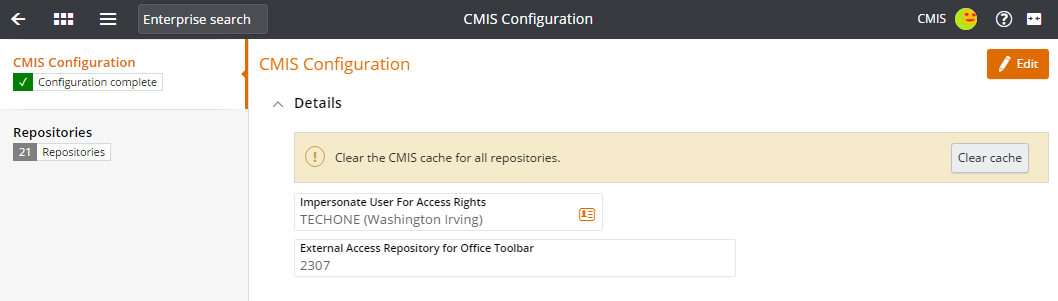
In 2016A a Clear Cache button was added to the CMIS Configuration screen. You can also clear the cache manually using this button.

Sample request
GET https://test.test.net/test/RDECMSQL/Api/CMIS/T1/cache?clear=true HTTP/1.1
Host: test.test.net
Connection: keep-alive
Authorization: Basic Y21pczpjbWlz
Accept: text/html,application/xhtml+xml,application/xml;q=0.9,image/webp,*/*;q=0.8
User-Agent: Mozilla/5.0 (Windows NT 6.1; WOW64) AppleWebKit/537.36 (KHTML, like Gecko) Chrome/43.0.2357.130 Safari/537.36
Accept-Encoding: gzip, deflate, sdch
Accept-Language: en-US,en;q=0.8
Sample response
HTTP/1.1 200 OK
Cache-Control: private
Server: Microsoft-IIS/7.5
X-AspNet-Version: 4.0.30319
X-Powered-By: ASP.NET
X-UA-Compatible: IE=edge
Date: Tue, 18 Oct 2016 01:31:12 GMT
Content-Length: 0